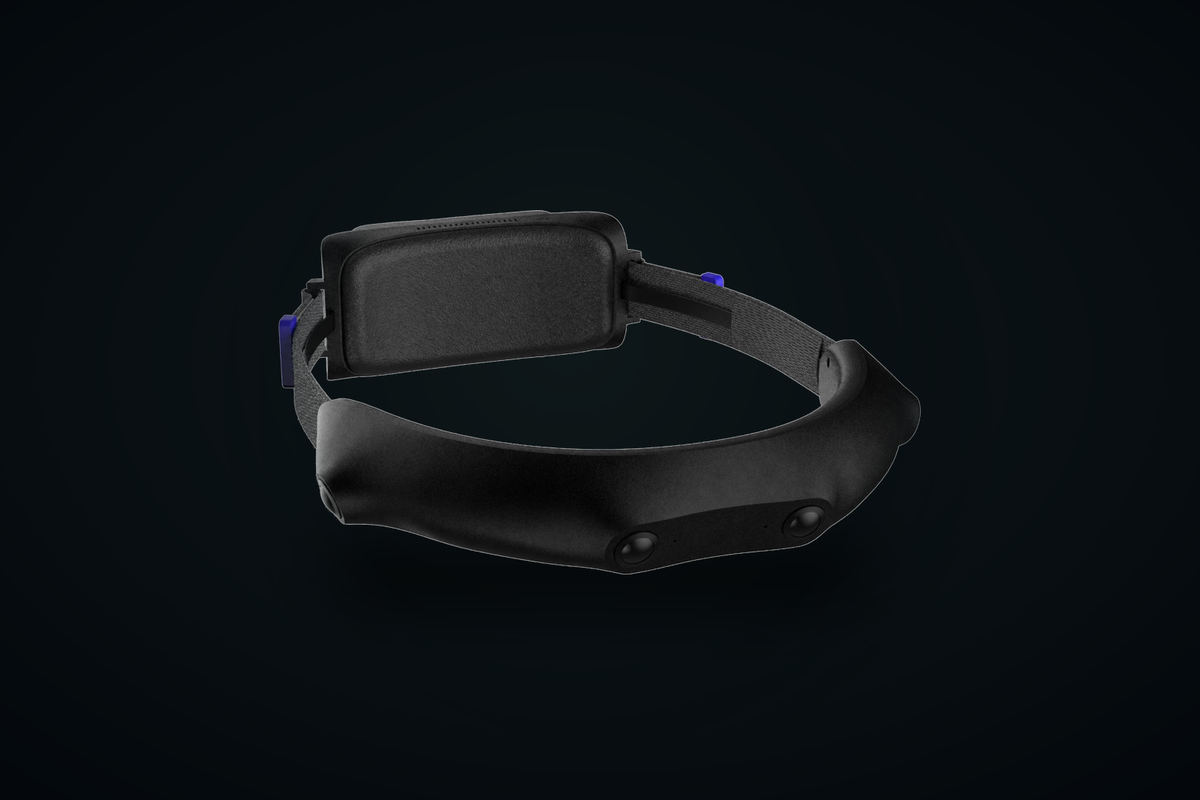
Robots learn manipulation from demonstration, and demonstration has to be recorded before any policy can train on it. The device that records it — a first-person, or egocentric, capture rig — quietly decides how usable your dataset is. Here is what separates a rig that produces training-grade data from one that produces a folder of unusable video.
1. Hardware time sync is the whole game
Imitation learning needs to know what the camera saw and how the wearer moved, aligned to the same instant. If your video timestamps come from one clock and your IMU samples from another, they drift — a few milliseconds per minute is enough to smear a grasp across frames and poison the label. Software alignment after the fact is a research project of its own.
The only clean answer is hardware timestamping: the sensor and the IMU share one clock on the board, so every frame and every motion sample carry a common time base you can trust. Both Wego2 and Wego4 stamp an ICM-42688 6-axis IMU against video in hardware at 200/500 Hz. When you evaluate any rig, this is the first spec to demand — not resolution, not frame rate.
2. Global shutter, or your motion data lies
A rolling-shutter sensor exposes the frame row by row, so anything moving — the wearer's head, a hand, the object being manipulated — is captured at slightly different times down the image. On a static webcam that's invisible. On a capture rig strapped to a moving person, it warps exactly the fast motions you're trying to learn from.
Capture rigs need global shutter, where the whole frame is exposed at once. Both Wego units use SC233HGS global-shutter sensors at 1920 × 1200. It costs more than a rolling-shutter module; for training data it is not optional.
3. Coverage decides how much you can throw away
A single forward camera loses the work the moment the wearer turns their head or reaches to the side — and in manipulation, the hands leaving frame is the exact moment that mattered. More coverage means fewer discarded takes.
- Binocular (Wego2, 155° V × 109° H) is enough for seated or bench tasks where the work stays in front — and it's cheap enough to run a dozen in parallel when you need hours of footage fast.
- Quad surround (Wego4, 270° H × 155° V) keeps the work zone in frame through head turns and reaches, which is what you want for high-value manipulation data where each take is expensive to stage.
4. Quality control at the edge, not in the annotation queue
The worst way to discover a take was blurred, occluded, or dropped frames is three weeks later when an annotator flags it. By then the scene is gone. Wego4 carries 3 TOPS of on-device compute (Rockchip RV1126B) specifically to run quality checks while you record, so a bad take gets caught on the rig. On a large collection program that one feature changes the economics.
5. Endurance you can actually shoot a shift on
A rig that dies mid-session, or that you have to power down to swap a battery, breaks the one thing you were collecting: continuous, time-aligned sequences. Both Wego units use a 5600 mAh hot-swap main battery with a 500 mAh UPS that bridges the swap, so a pack change doesn't end the recording.
A worked comparison
| Choosing between the two capture rigs | ||
|---|---|---|
| Question | Wego2 | Wego4 |
| Cameras | 2 × global shutter | 4 × global shutter |
| Coverage | 155° × 109° | 270° × 155° surround |
| On-rig QC | — | 3 TOPS, live checks |
| Best for | Volume collection, bench tasks | Manipulation, mobile platforms |
| Price | $900 | $1,500 |
What comes after the rig
Hardware records the data; it doesn't label or evaluate it. If you're standing up a collection program rather than buying a single device, VisionLibra Data Services runs collection, annotation, and evaluation on top of this same hardware — RGB-D and trajectory annotation, failure intelligence, and repeatable robot evals. The rigs and the services are designed to hand off to each other.
Both capture rigs ship from stock (first 5 units) — see the capture lineup or design a custom collection program.